 Supporting documents checked too
 Results in under a minute
Stop reacting to denials. Start preventing them.
A denied claim means rework, delay, and lost revenue. The DocBen validator checks every claim before it ever reaches PhilHealth and tells you exactly what to fix.

Catch denials early
Missing required fields, invalid case-rate codes, and inconsistent clinical data are flagged before submission — not after weeks of waiting.

Actionable results
Every validation returns a 0–100 quality score, the exact rejection reasons, and the PhilHealth DRG classification.

Submit clean, get paid faster
Clean first-pass submissions mean fewer denials and shorter days-in-AR for your hospital or clinic.
Choose the path that fits how your team works.
Both paths run the same validation engine against the same PhilHealth rules. The difference is how claims get in: typed into a browser by your clinical and billing team, or sent automatically by your hospital's own software, set up by your IT team.
DocBen web app
For clinical and billing teams. Enter and validate claims right in your browser — no development needed.
- Fill in the CF4 form section by section
- Attach supporting documents (images or PDF)
- Click Validate Claim and see every issue on screen
- Fix, re-validate, then save drafts and track your claims
Best for: billing and records staff, clinics, and hospitals that want to start validating claims today.
DocBen API
For IT and developers. Validate claims straight from your own system, automatically.
- Connects to your existing hospital system (HIS, EMR, or billing software)
- Accepts claims in DocBen JSON or the official PhilHealth eClaims format
- Returns the score, rejection reasons, and DRG for every claim
- Guide, sample code, and a test tool for your IT team
Best for: hospitals and software vendors with an existing HIS, EMR, or billing system.
| Path A · Web app | Path B · API | |
|---|---|---|
| How claims get in | Typed into the CF4 form, or imported from CF4 JSON files | Sent by your system as DocBen JSON or eClaims 3.0 XML |
| How you get access | Create an account, then enter the registration code from your administrator | An API key issued by your DocBen account manager |
| Where you see results | The AI Analysis panel on the claim form | JSON returned when you poll for the validation result |
| Engineering effort | None | Integration work in your own system |
Either way you get a 0–100 quality score, the exact rejection reasons, and the PhilHealth DRG classification.
From a blank form to a clean claim
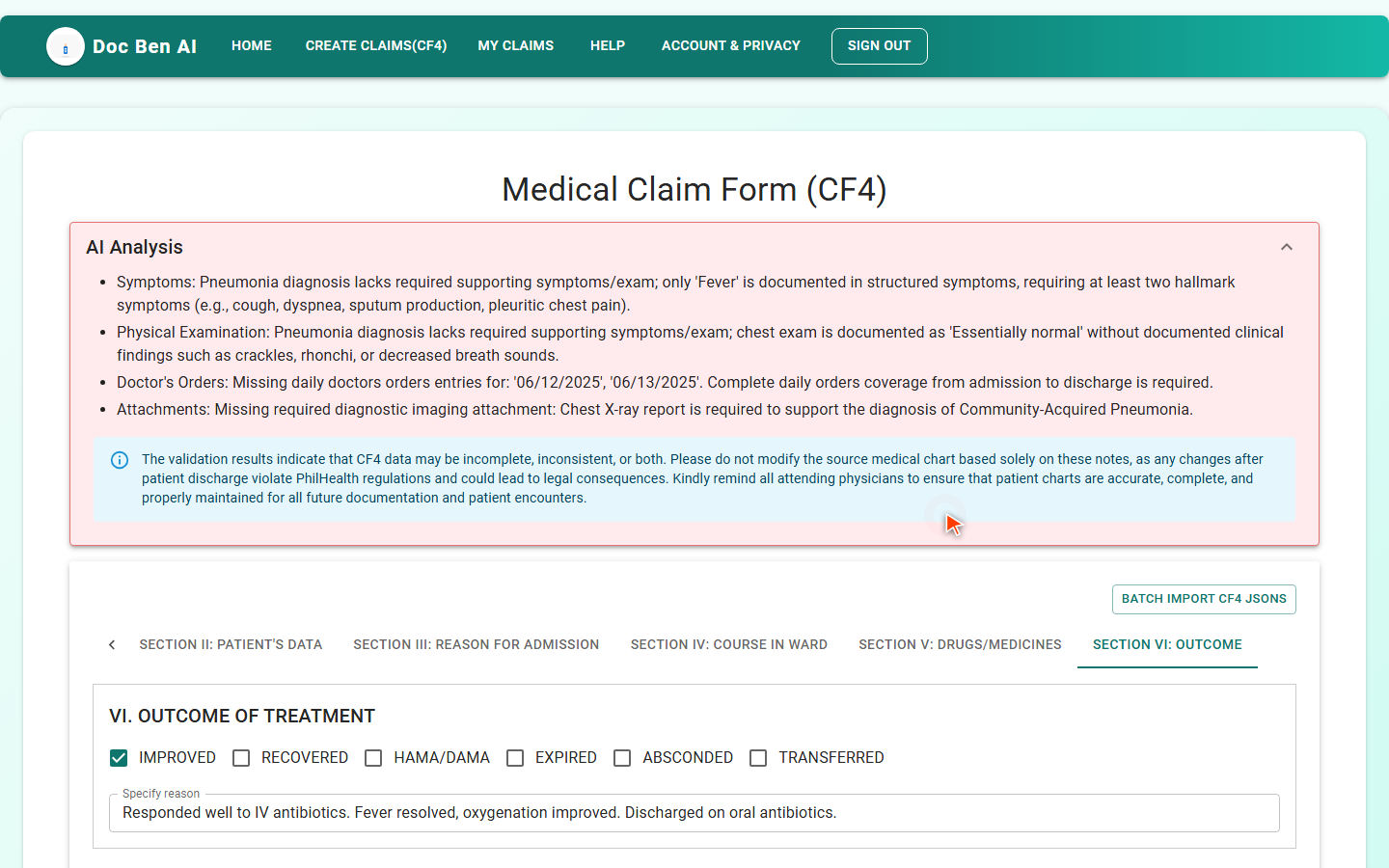
The DocBen web app walks your team through the PhilHealth CF4 and flags every problem before the claim goes out — no integration work required.
- Sign in. Create an account and enter the registration code from your administrator.
- Create a claim. Fill in the six CF4 sections: HCI, patient, reason for admission, course in the ward, drugs, and outcome.
- Attach documents. Upload lab results, imaging reports, and other supporting files.
- Validate. The AI Analysis panel lists each issue and explains why.
- Fix and re-validate until it reads “This is likely valid.”
Build validation into your own system
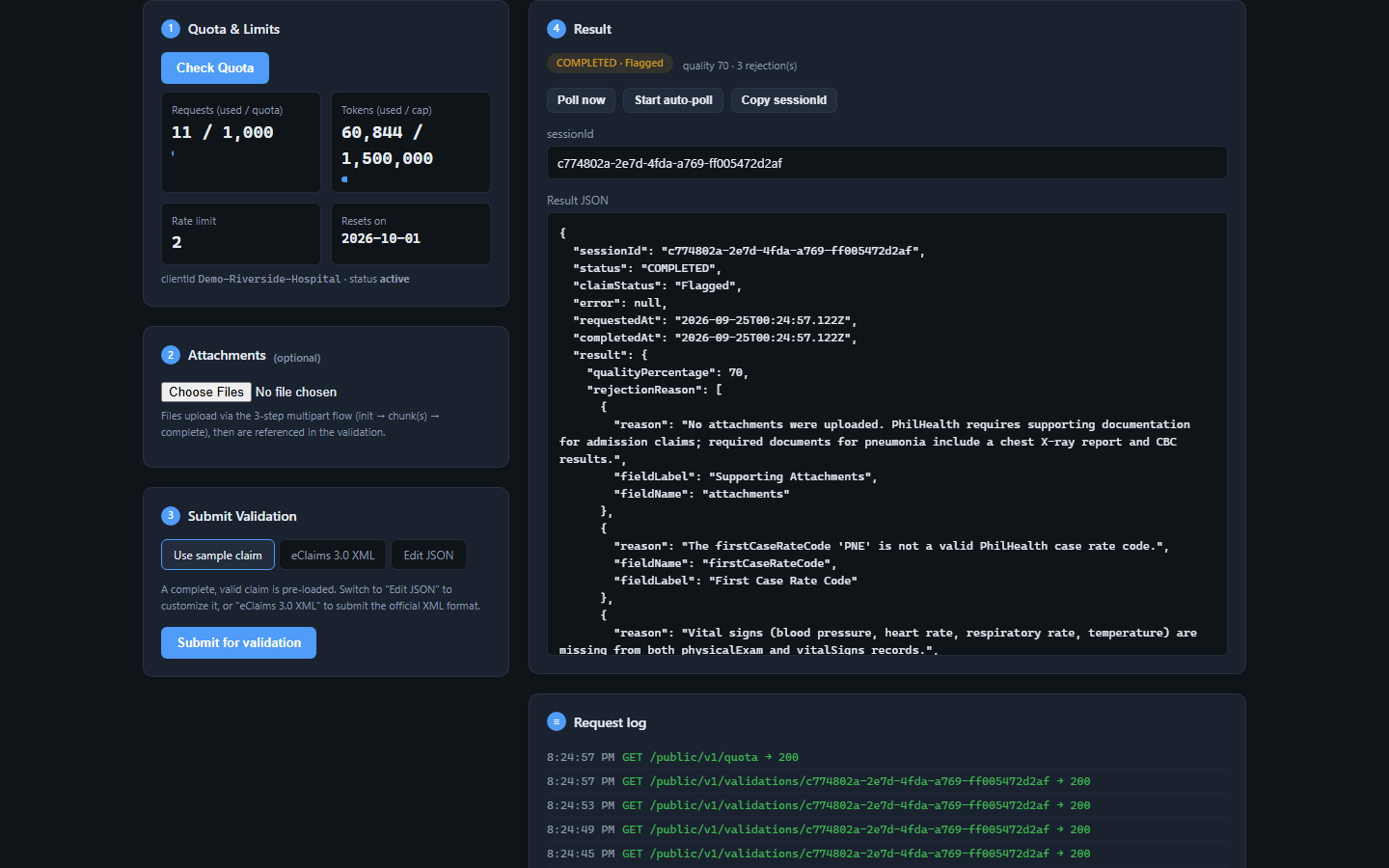
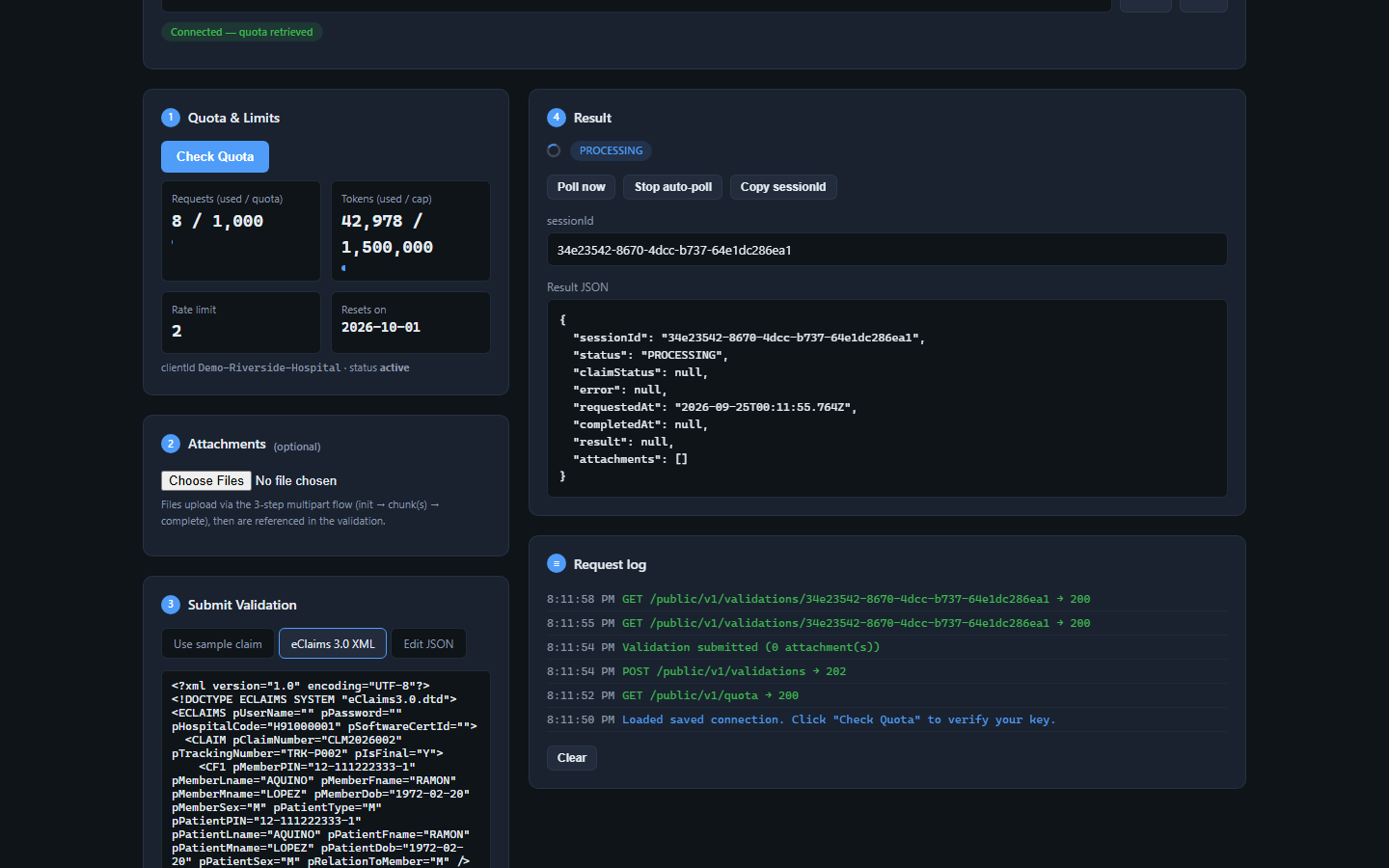
Your IT team can connect DocBen to your existing systems. This section is for them — feel free to forward it. It is a simple REST API with API-key auth, a machine-readable OpenAPI spec, copy-paste client examples, and a browser test client to exercise the live API.
- Integration guide — auth, quotas, endpoints, attachments, errors, FAQ
- OpenAPI 3.0 spec — generate SDKs or import into Postman
- Client examples — dependency-free JavaScript & TypeScript
- Browser test client — quota, attachments, submit, poll
What DocBen is — and isn't.
A pre-submission check
DocBen tells you what PhilHealth is likely to question so your team can fix it first. It supports your review; it does not replace clinical judgment or your own billing review.
Early access
The web app is in alpha and the product is being rolled out with a small number of hospitals. Sample data on this site is fictional.
Ready to submit clean claims?
Start in the web app today, or ask your DocBen account manager for an API key.